AStar breaks down into thirteen focused pieces — from keeping every brokerage account in sync to catching a wash sale before it costs you. Explore each one, or open the app and see them working together.
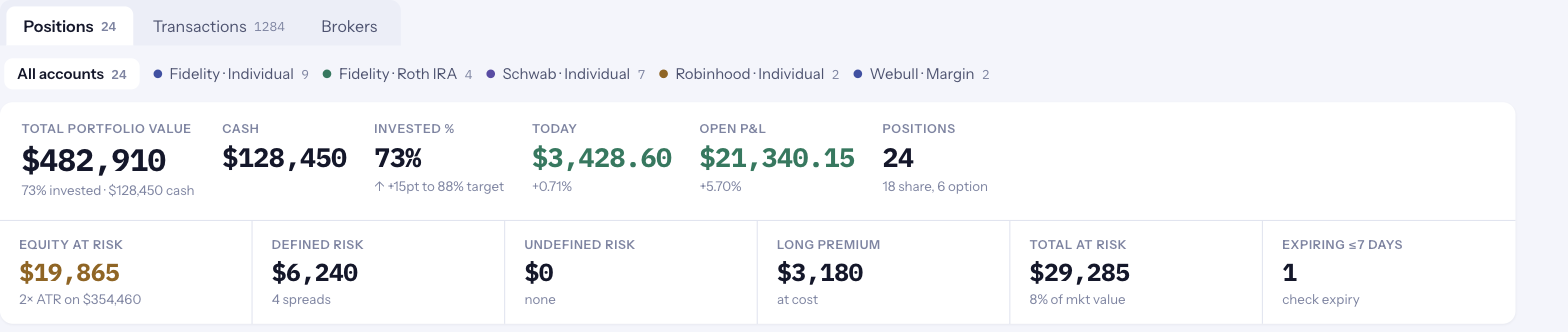
Every brokerage account, one clear view. Positions, balances, and cash sync automatically — no manual entry.
Explore →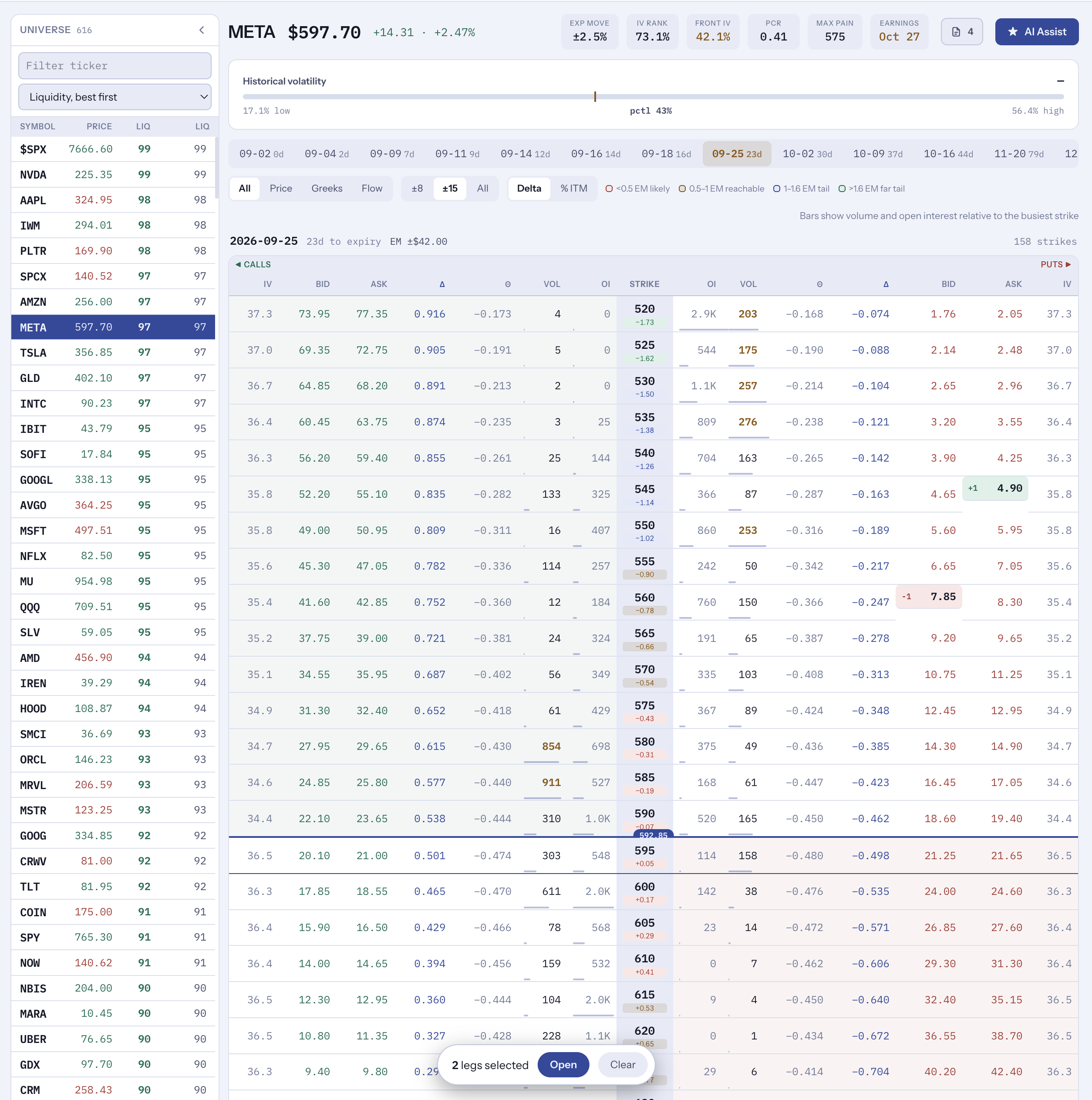
Every strike, every greek, ranked by liquidity. IV, delta, theta, volume, and open interest across the whole chain.
Explore →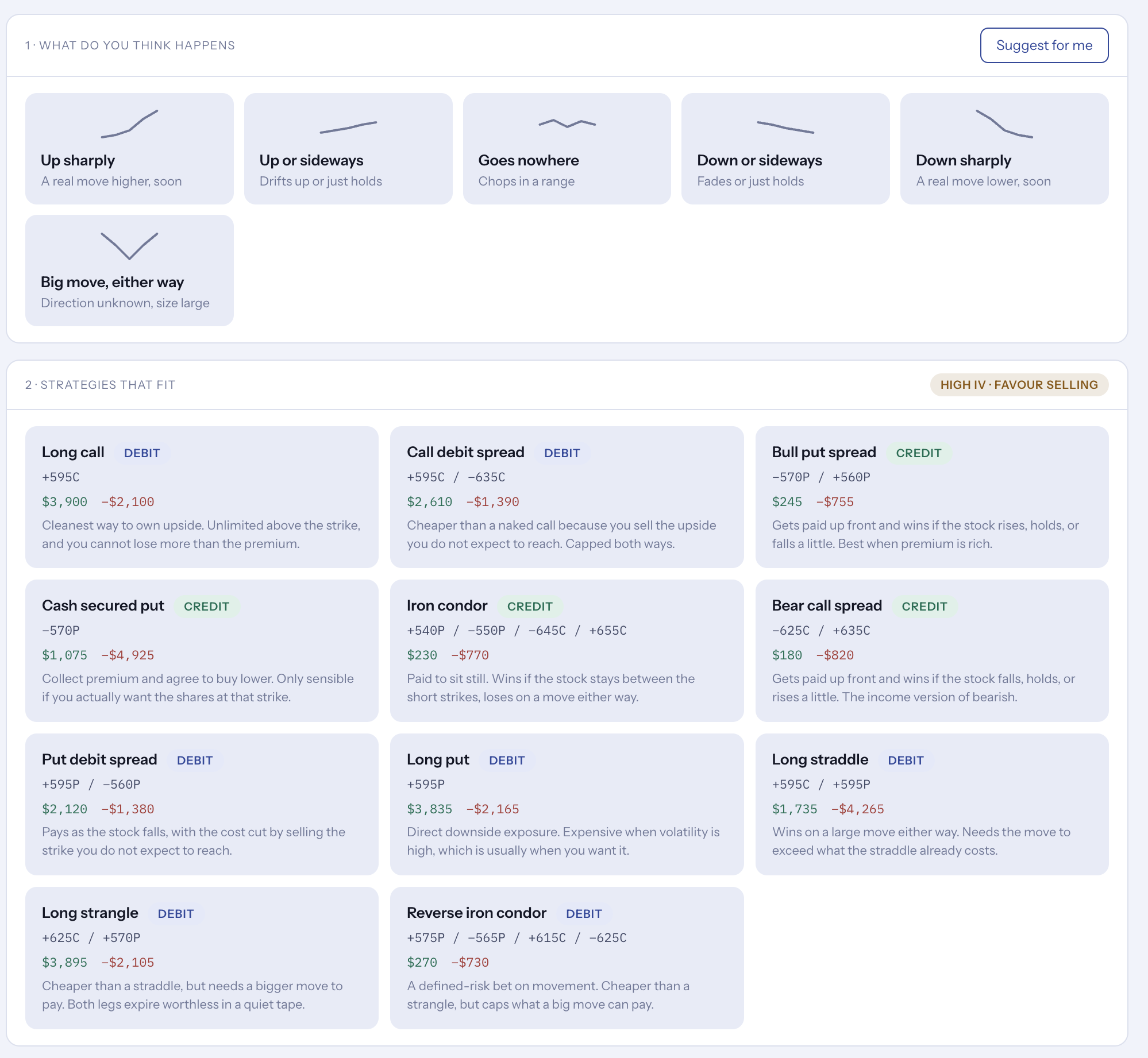
Build any strategy matched to your market view, and see its exact payoff and probability of profit first.
Explore →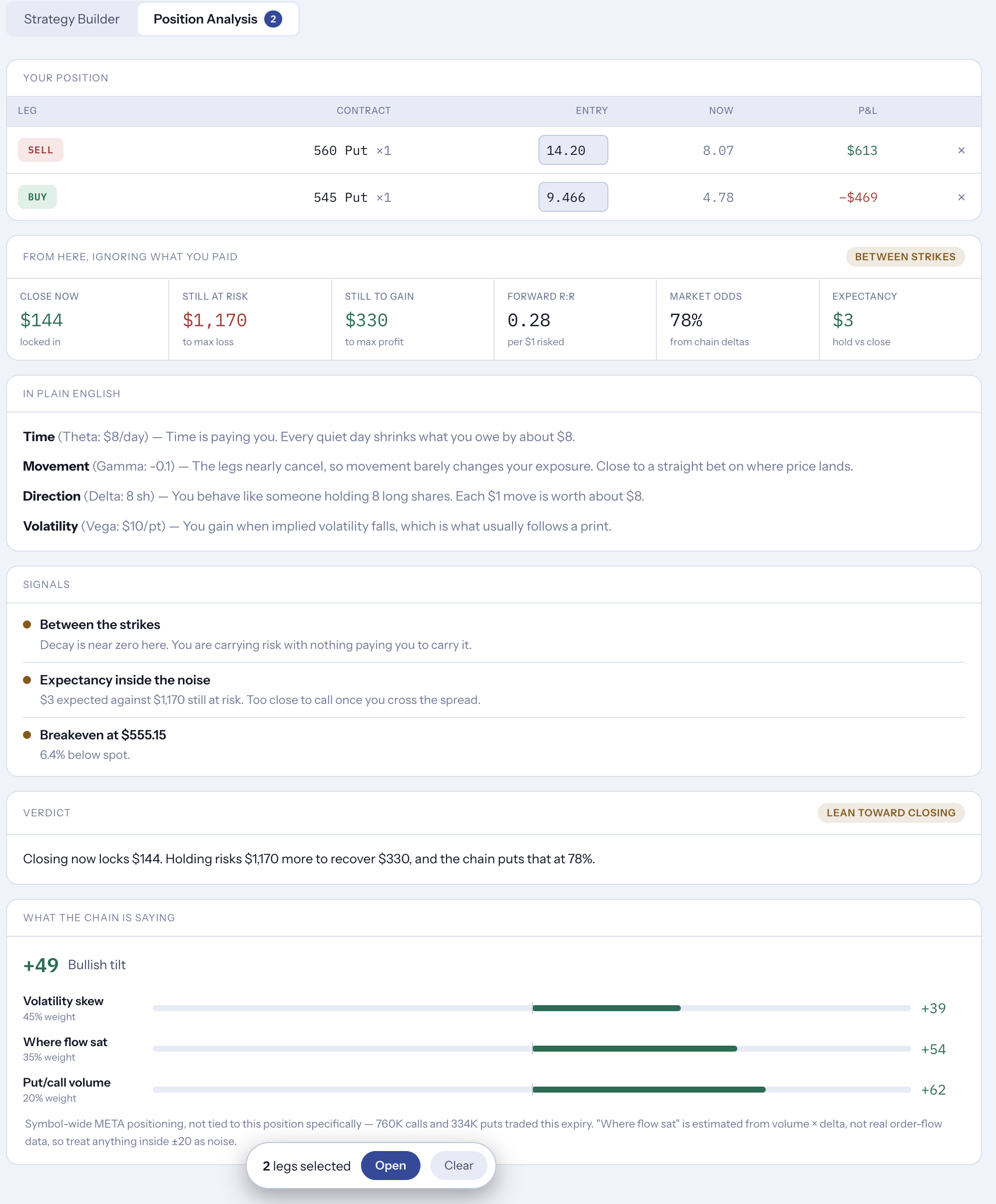
A live status on every position — Comfortable, Watch, or Breached — plus a plain-English verdict: hold or close.
Explore →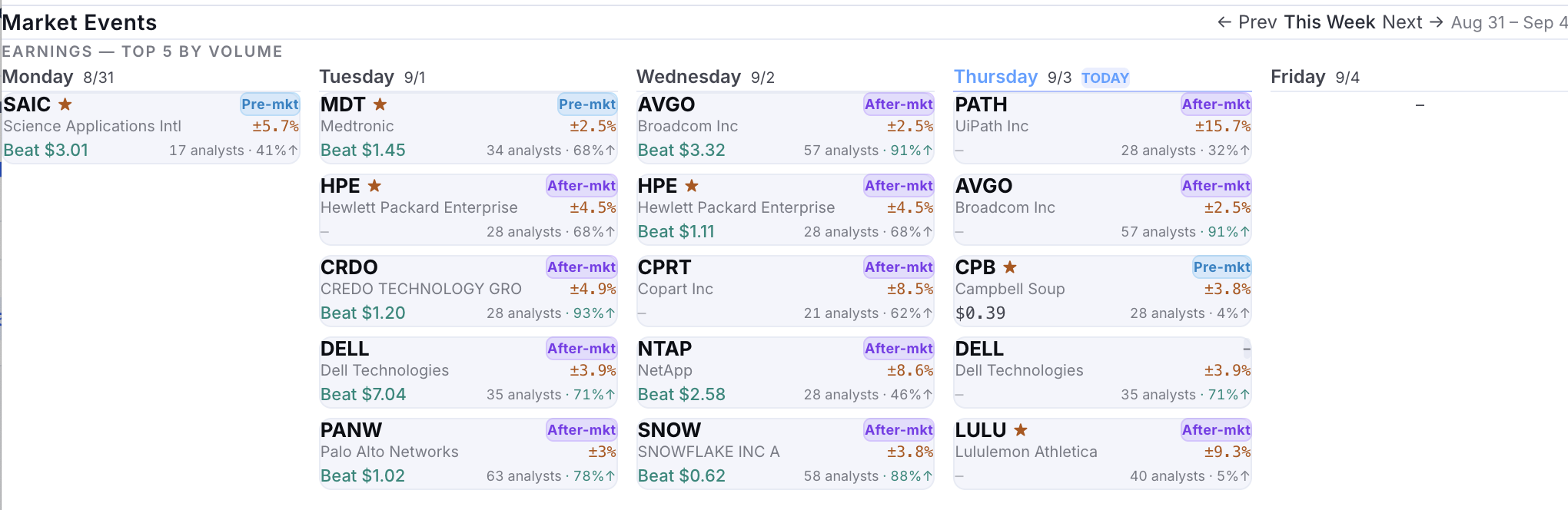
Automatic notifications when earnings or other events hit a position you actually hold.
Explore →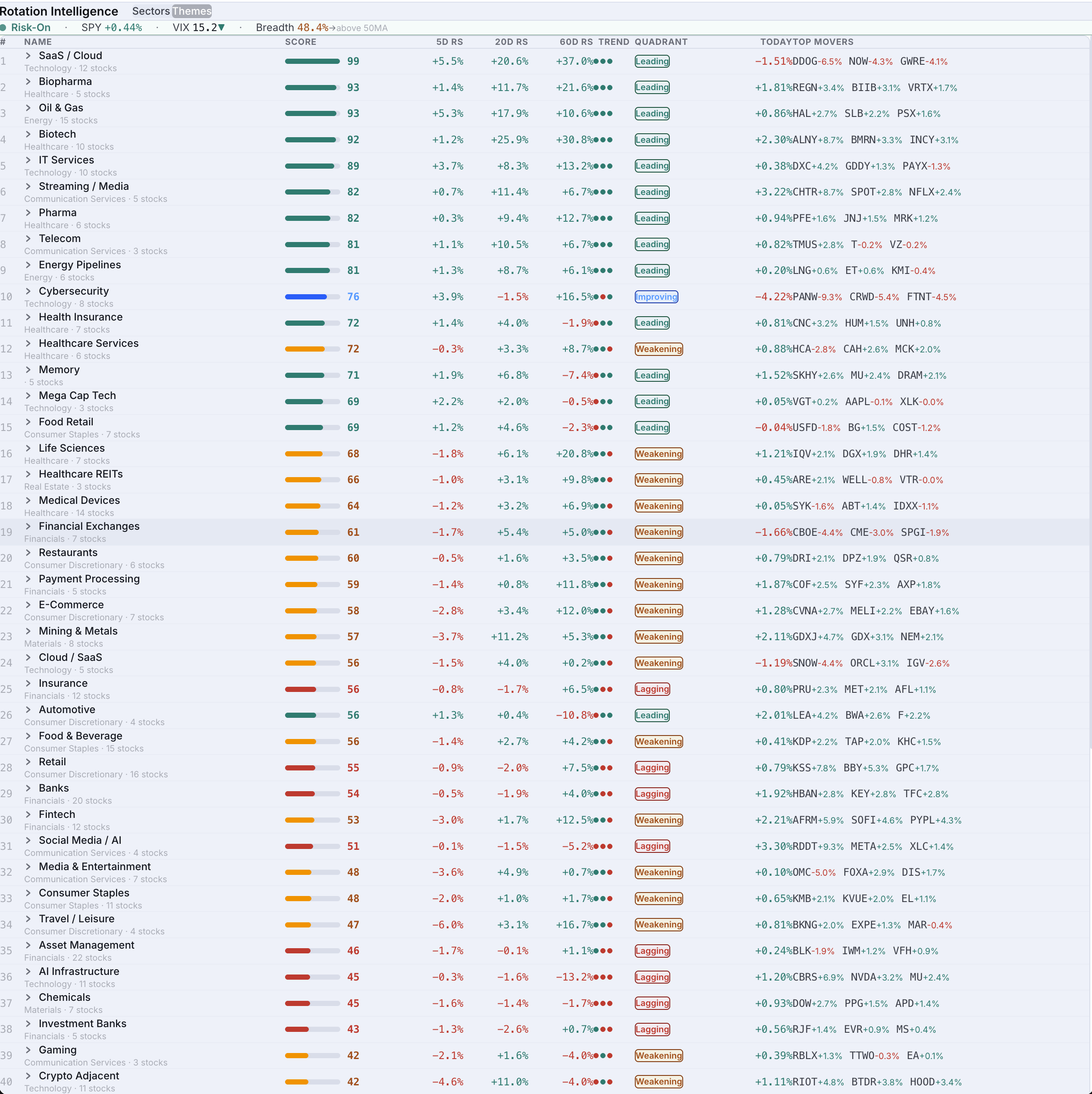
Every sector and theme scored and quadrant-classified — Leading, Improving, Weakening, Lagging.
Explore →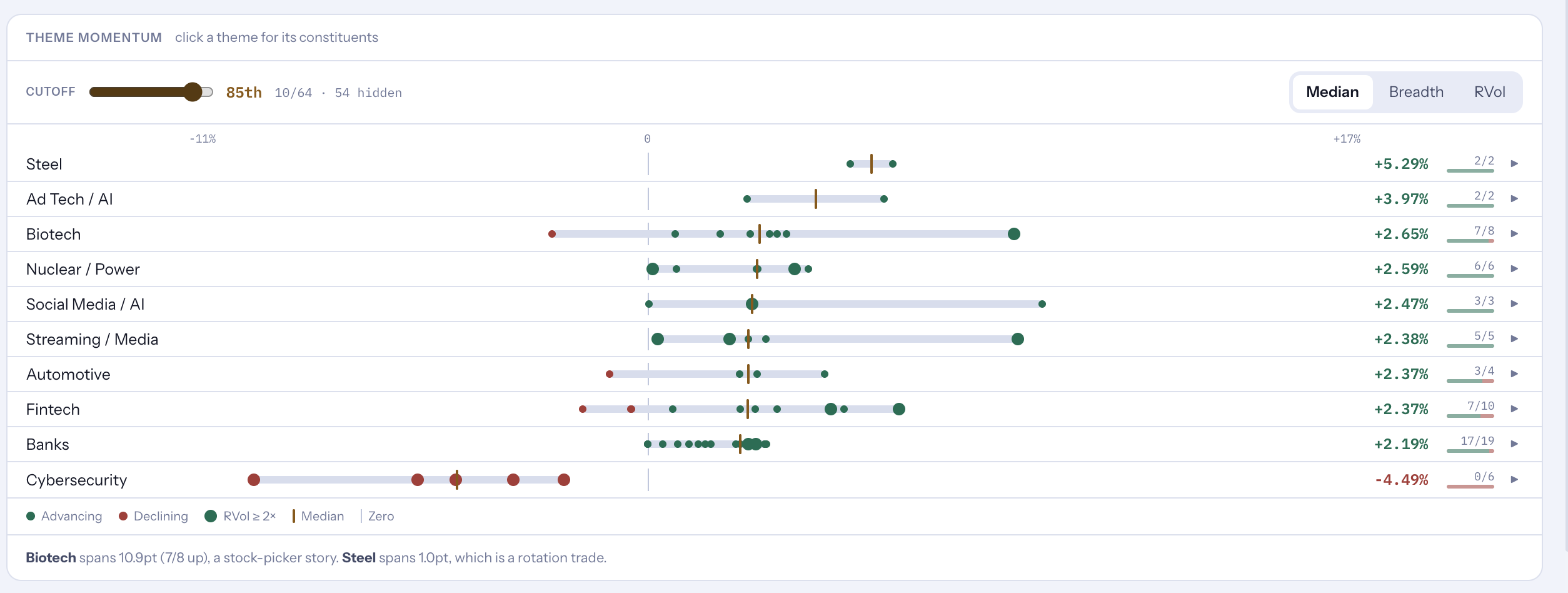
Sentiment, indices, AI-ranked news, and theme momentum — the daily briefing, no noise.
Explore →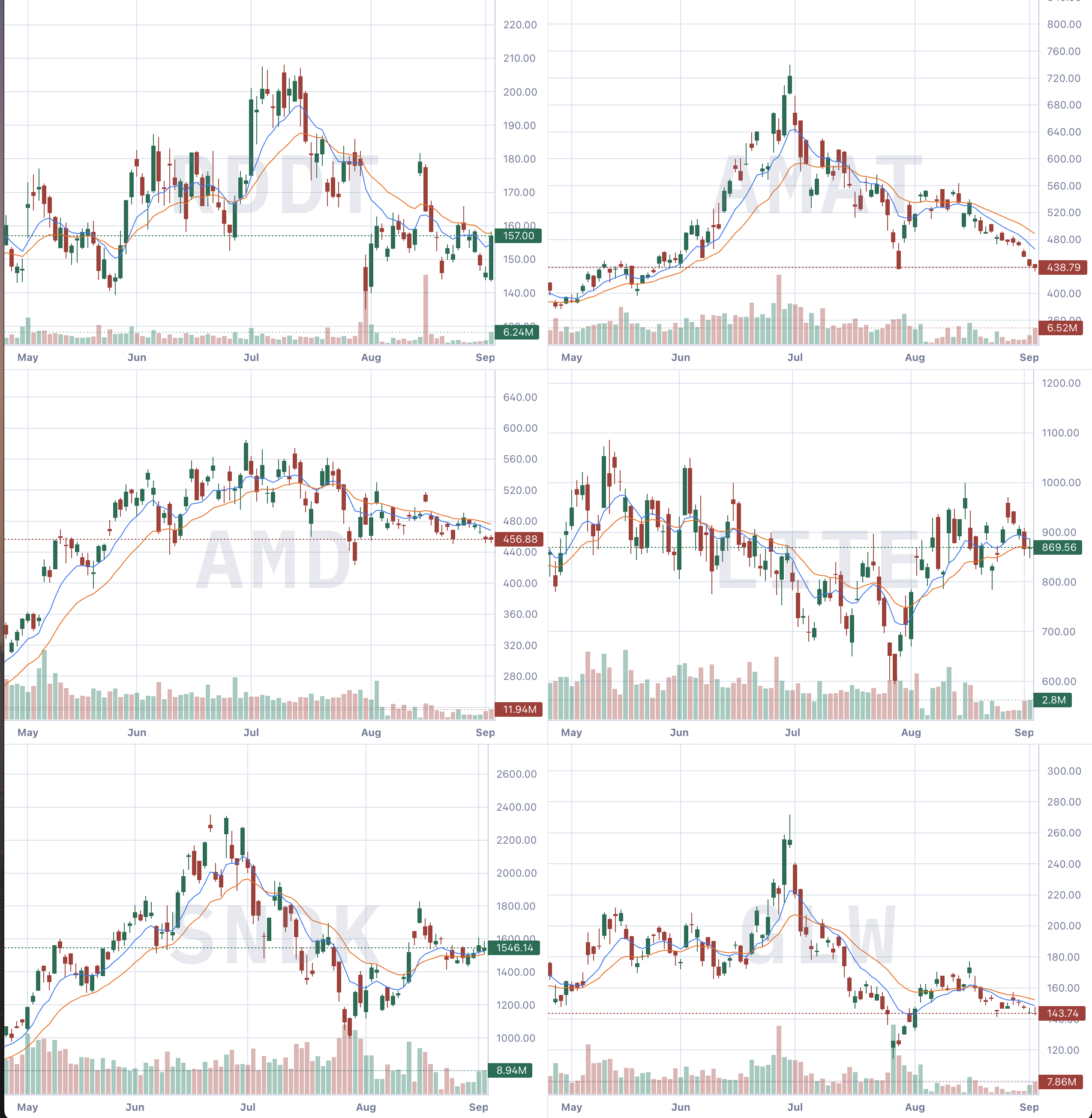
A multi-chart wall that auto-populates from a theme, movers, positions, or AI recommendations.
Explore →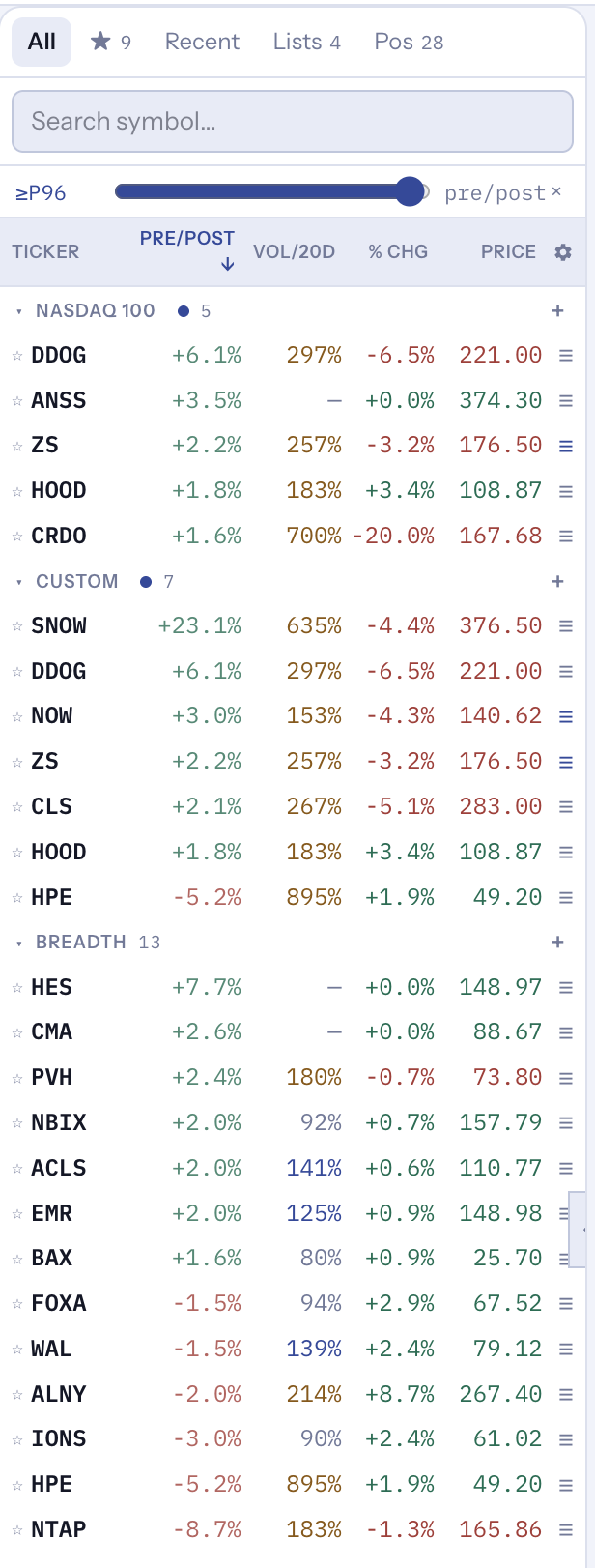
Percentile-based scans for movers by price and volume vs. the 20-day average.
Explore →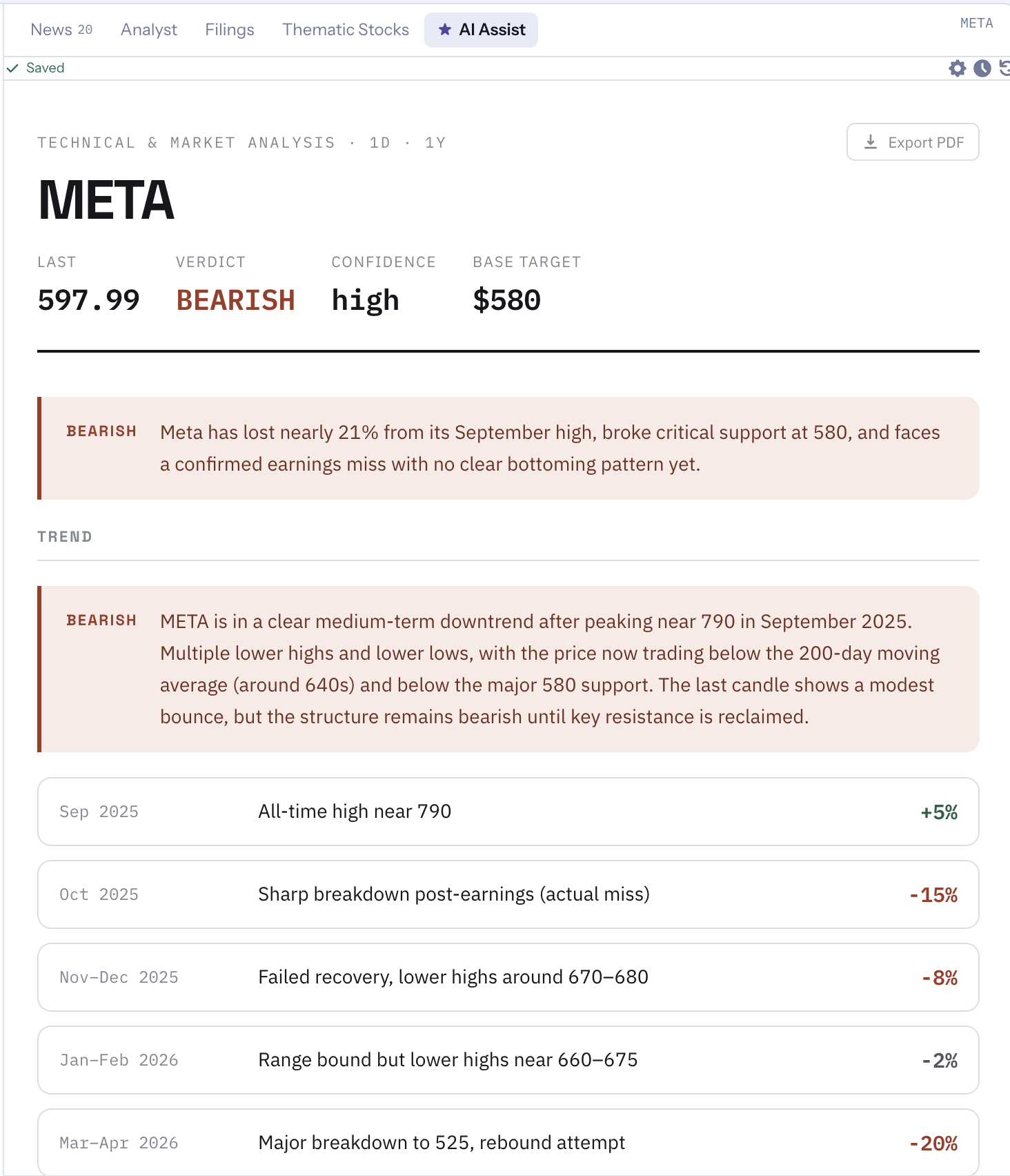
Technical + options metrics on one chart, plus a configurable AI verdict and exact trade setups.
Explore →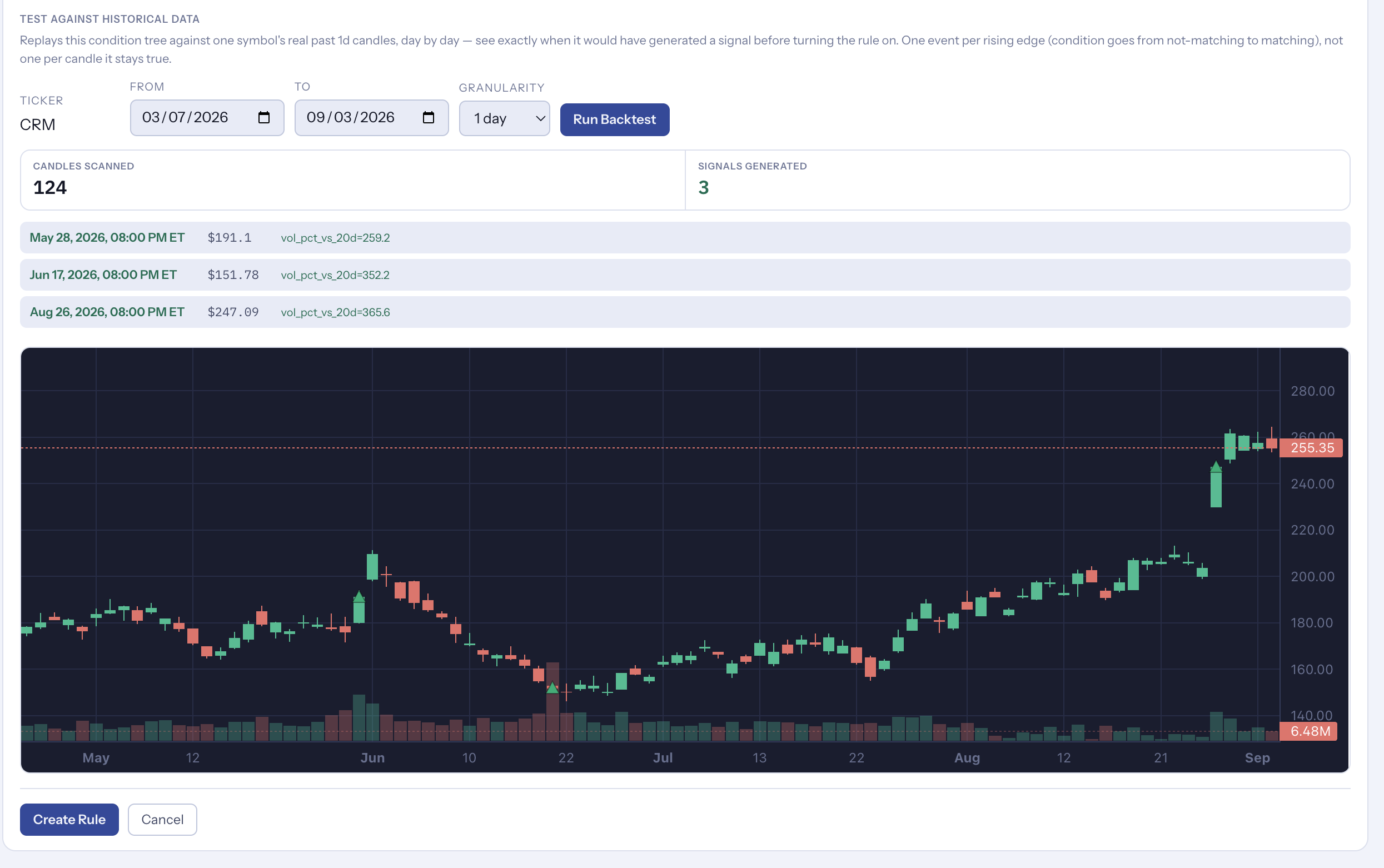
Build your own buy/sell criteria with AND/OR logic, backtested before going live.
Explore →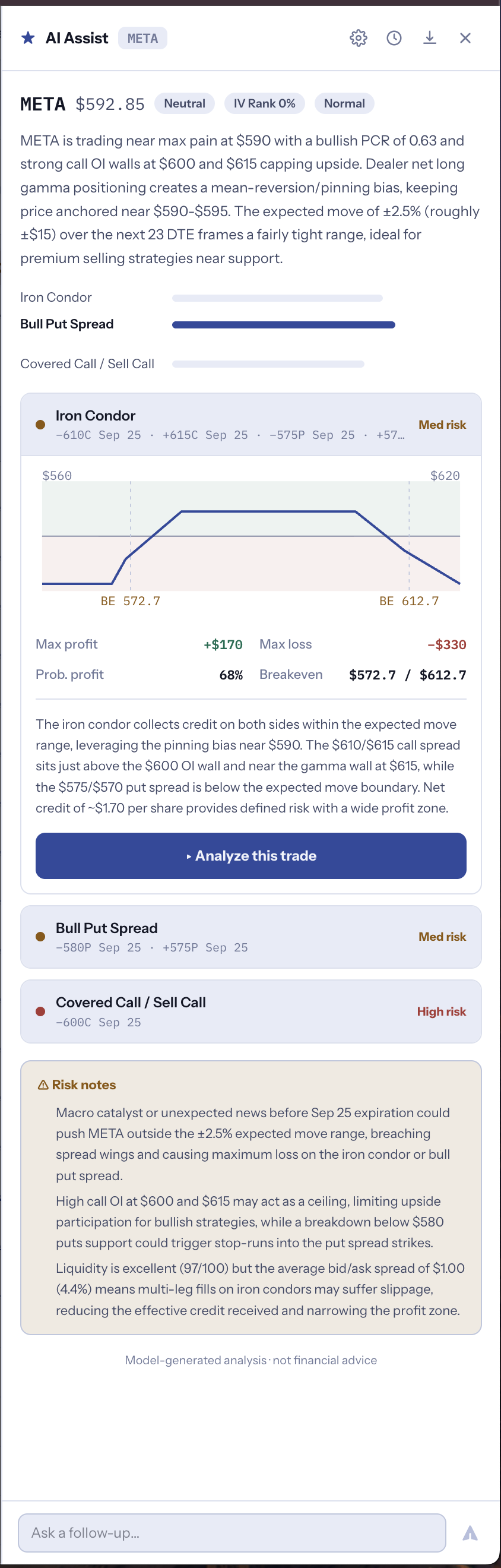
AI Assist reads the chain and your positions — with your choice of AI model.
Explore →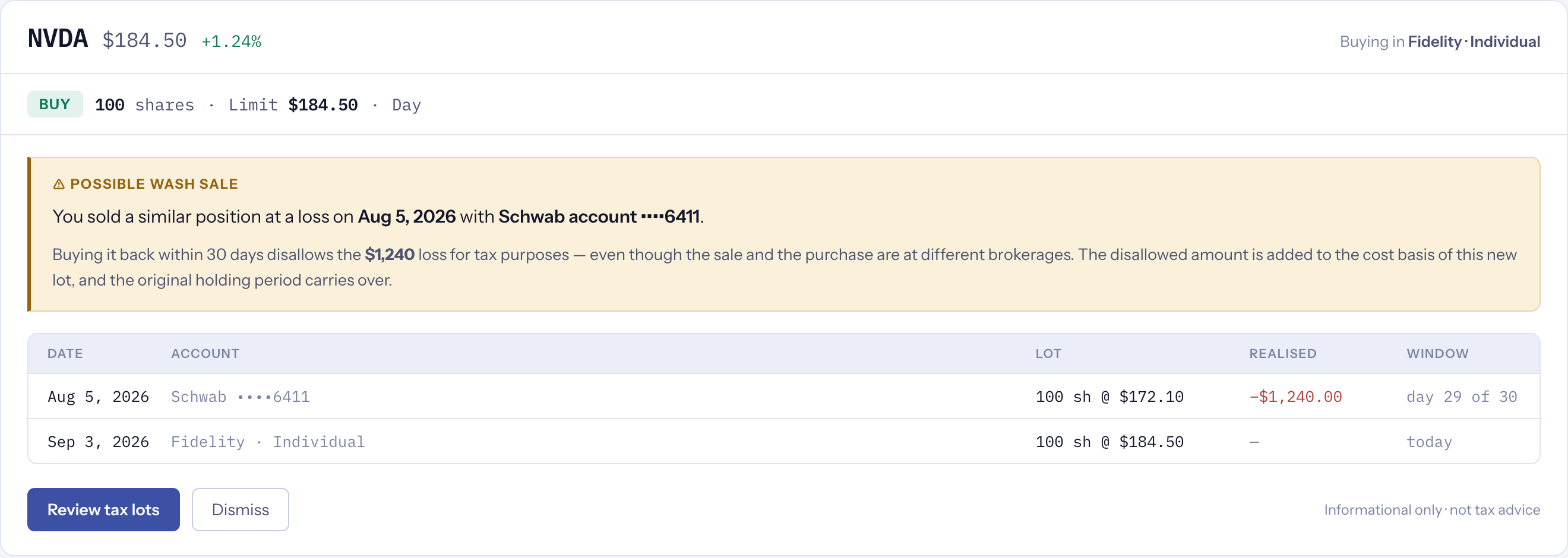
Cross-broker wash-sale detection and tax-lot-aware selling — tax rules that don't stop at one brokerage.
Explore →AStar Trading LLC isn't a broker-dealer, investment adviser, or custodian. We provide tools to help you monitor and evaluate your own portfolio — every trade still happens directly with your brokerage.
Portfolio tracking never requires order-placement access. Trade-enabled access is a separate, explicit choice.
Recommendations and tax-impact estimates are informational. Nothing in AStar guarantees a result.
Connections use secure, token-based authorization. AStar never sees or stores your brokerage login.
Revoke a brokerage connection from your account settings whenever you choose.
Full details in our Privacy Policy, Terms & Conditions, and Broker Connection Agreements (read-only / trade-enabled).
 AStar Trading